

For Artists, galleries, teams, and visitors who are new to ArtSpace.
What is ArtSpace?
An introduction to ArtSpace, the media-art platform for building and sharing 3D exhibition Spaces — what you can do, who it's for, and how the end-to-end flow works.
Overview
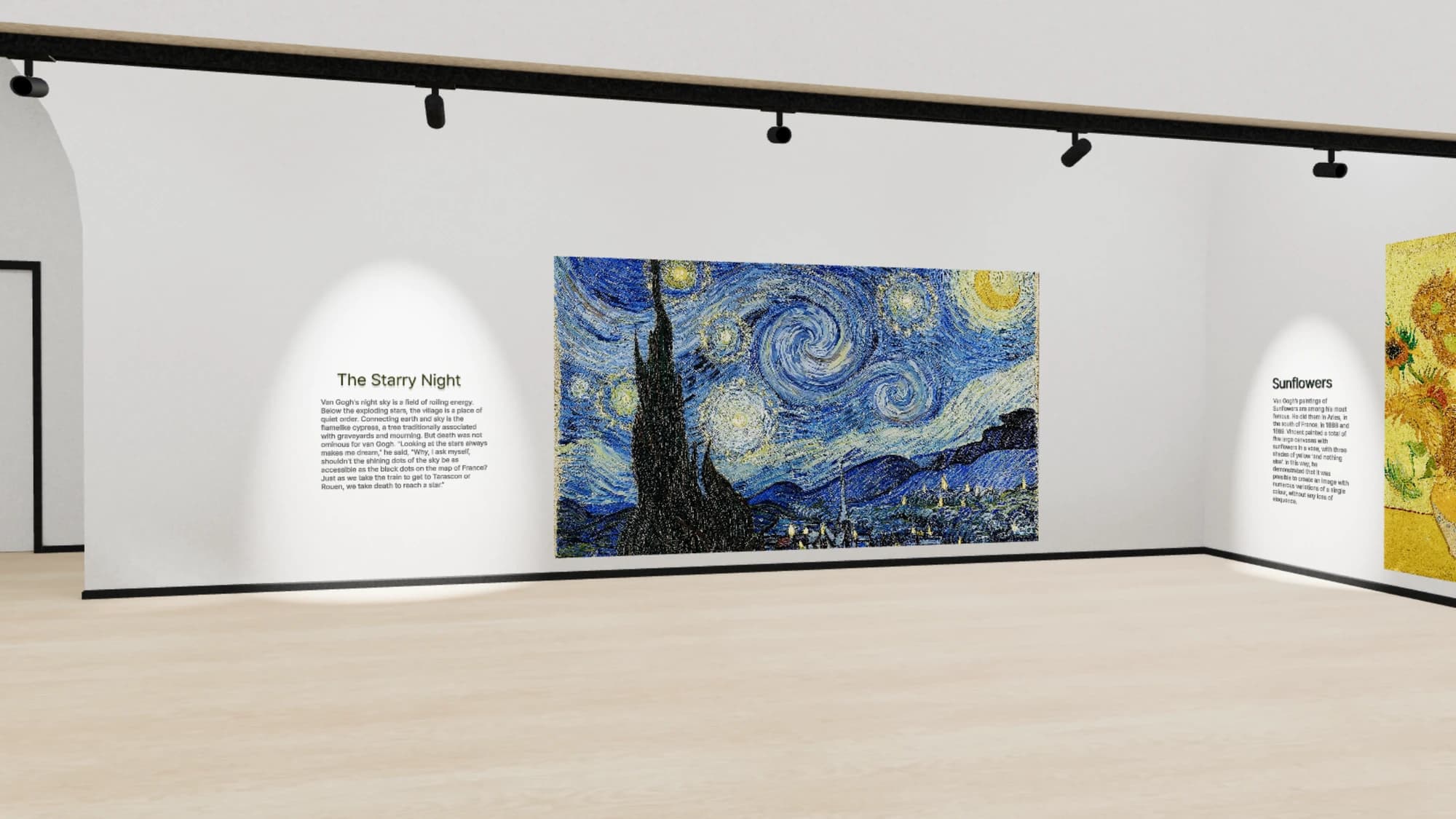
ArtSpace is a platform for building and sharing 3D exhibitions, called Spaces. Instead of arranging artworks on a flat web page, you place video artworks, 3D models, and textures inside a virtual room that visitors explore right in their browser — no plugins, downloads, or special hardware required.
You build a Space in the Studio, a visual 3D editor: choose a room (a Zone), drop in your video artworks, add 3D models and lighting, and set the camera viewpoints visitors start from. When it's ready, you publish and share a link. Anyone who opens it can walk through your exhibition, watch your work in context, and leave a like or a comment.
What you can do
- Build immersive 3D exhibitions — assemble rooms, walls, video screens, 3D models, lighting, and post-processing effects in a browser-based editor.
- Show video artworks — upload videos that are automatically processed for smooth streaming and displayed inside your Space.
- Control who sees your work — keep a Space Private, share it Unlisted via a private link, or make it Public so it appears in Explore and search.
- Exhibit as an individual or as an organization — create Spaces under your own name or under a gallery/team you belong to.
- Engage your audience — visitors can Like Spaces and leave threaded comments.
- Track your reach — a personal Dashboard shows views, likes, comments, and trends for your Spaces.
Who it's for
Artists and creators
Present video and media art the way it's meant to be experienced — in a space you design — and share it with a single link, whether you're showing one piece or a full body of work.
Galleries and teams
Create an organization so several people can collaborate on Spaces under a shared identity, with roles for owners, admins, and members. Organizations have their own Dashboard and verification. See Organizations to learn more.
Visitors
Explore exhibitions without creating an account. You only need to sign in if you want to Like, comment, or build Spaces of your own.
The big picture
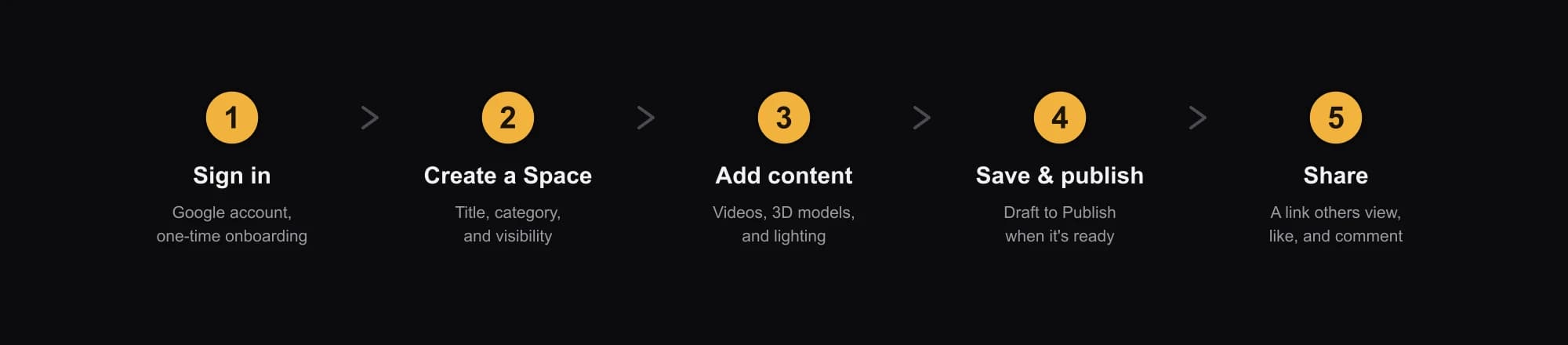
From a blank slate to a shared exhibition, the journey looks like this:
- 1Sign in with your Google account and complete a short, one-time setup. See Create your account.
- 2Create a Space — give it a title, category, language, and visibility. See Spaces.
- 3Add your content in the Studio — upload video artworks, then arrange them with 3D models, lighting, and a room layout.
- 4Save and publish — save your work, then flip the status to published when it's ready to go live.
- 5Share the link, and let others view, like, and comment on your exhibition.
In a hurry? The Quick start walks you through this whole path in one condensed guide.